
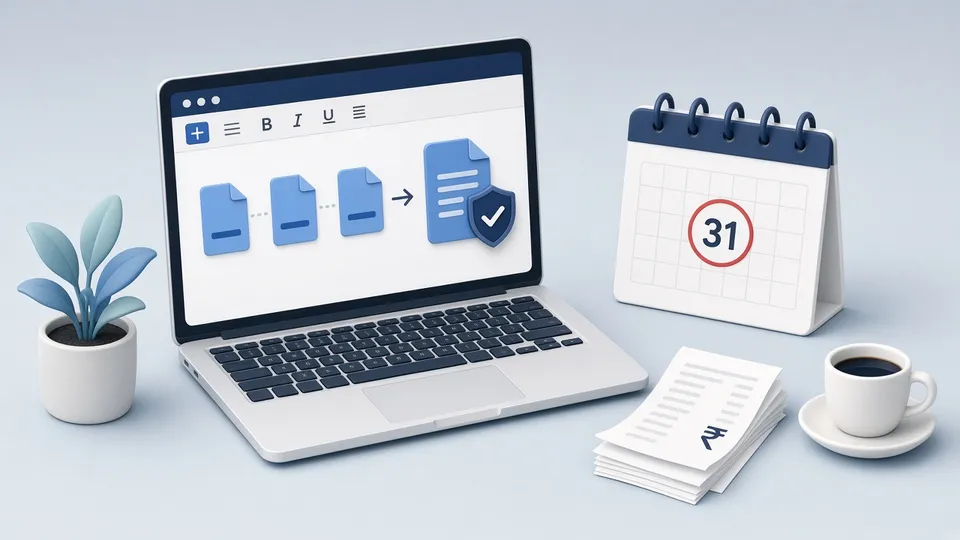
If you missed the original income tax return deadline for Assessment Year 2026-27, you can still file a belated return under Section 139(4) until 31 December 2026, unless the assessment is completed earlier. A late filing fee applies under Section 234F: ₹1,000 if total income is up to ₹5 lakh, and ₹5,000 above that. Two months sounds like plenty of time, but December fills up quickly with festivals, year-end work, and travel. The returns that get delayed again are usually the ones waiting for documents, not the ones waiting for a chartered accountant.
This post is about getting the papers in order on your Windows PC: Form 16, AIS and Form 26AS, rent and investment proofs, and capital gains statements. It does not replace tax advice. For anything unusual, ask a qualified professional. But a clean set of PDFs makes that conversation shorter and the filing faster.
Collect the core documents first
Start with the documents that drive the numbers. Form 16 from your employer, or from each employer if you changed jobs during the year. The Annual Information Statement (AIS) and Form 26AS, downloaded from the income tax portal, which show income and tax deducted as reported by banks and others. Interest certificates from savings accounts and fixed deposits. Capital gains statements from your broker or mutual fund registrar if you sold shares or funds.
Download each one and give it a plain name: "Form16 Employer1 FY2025-26.pdf", "AIS FY2025-26.pdf". The default names, like download (3).pdf, are how documents get lost. Some downloads are password protected, often with your PAN and date of birth. That is fine for storage. If you need to share a copy with your CA, you can remove the password on your own PC after confirming it is your document.
- Form 16 from every employer in the year
- AIS and Form 26AS from the income tax portal
- Bank and FD interest certificates
- Capital gains statements from brokers or fund registrars
Proofs for deductions and exemptions
If you claim deductions or exemptions, keep the proofs together even if the portal does not ask you to upload them. Rent receipts and the rental agreement for HRA. Life insurance premium receipts, PPF or ELSS statements, tuition fee receipts, home loan interest certificate, and health insurance premium receipts. These are often photos on a phone and scans in an email. Bring them into one place.
Merge related proofs into a single PDF per category: one file for rent, one for investments, one for insurance. Put the pages in date order. Remove blank pages and duplicates. A reviewer, whether that is your CA or a tax officer asking questions later, should be able to follow the file without guessing.
Check the numbers match before filing
The most common reason a return needs correction is a mismatch between what you report and what AIS or 26AS shows. Open Form 16 and AIS side by side and compare salary and tax deducted. Check interest income against the bank certificates. If something in AIS looks wrong, such as income that is not yours, use the feedback option on the portal rather than ignoring it. Note what you found in a short text file in the same folder.
Do not edit figures inside a Form 16 or a bank certificate to make them match. Those documents come from the issuer. If a figure is wrong, ask the employer or the bank for a corrected copy.
- Compare Form 16 salary and TDS with AIS and 26AS
- Match interest income with bank certificates
- Report AIS errors through the portal feedback option
- Never edit figures in issued documents
Keep the filed return and the proof
After filing, download the acknowledgement (ITR-V) and save it with the documents. Then verify the return. E-verification through Aadhaar OTP or net banking is quickest. A return is not complete until it is verified, and the time limit for verification is short. Save the verification confirmation as a PDF too. One folder per year, with the return, the acknowledgement, the verification, and the proofs, is what you will need if a notice ever arrives.
Work on these files locally
Tax documents carry your PAN, income, bank accounts, and address. Merging, splitting, compressing, or unlocking them on a random website means sending all of that to someone else's server. Pdf Buddy does those tasks on your Windows PC. Merge rent receipts into one file, split a long broker statement to the pages your CA needs, compress a scan to a size email accepts, and keep everything on your disk.
Questions people actually ask
What is the last date for a belated return for AY 2026-27? 31 December 2026, or before the assessment is completed, whichever is earlier.
How much is the late fee? ₹1,000 if total income is up to ₹5 lakh, and ₹5,000 otherwise, under Section 234F.
Do I upload my proofs with the return? Usually not. The return is filed online without attaching proofs. Keep them ready, because they are needed if your CA asks or if a question comes later.
A belated return is still a chance to file correctly. Gather the documents this week, name them clearly, merge proofs by category, and check the numbers against AIS before filing. Pdf Buddy, by Easy Peeze Tools, handles the PDF work on Windows without uploading your tax papers. Free for 2 actions a day after Google sign-in, with plans from ₹299 a year. Download Pdf Buddy or see pricing.