
Home / Products / EP Business Voice
EP Business Voice
Your business phone numbers, on your Android phone. Calls, texts, and voicemail in one simple app. Coming soon.
What EP Business Voice does
Keep business and personal calls apart without a second SIM or a second phone. Bring the numbers you own on Twilio, connect once, and your business line rings on your phone like a normal call.
Most business phone apps rent you a number and lock it to their platform. EP Business Voice works the other way: the numbers stay in your Twilio account, you pay Twilio's own rates for calls and texts, and the app gives you a clean, simple phone for that line. Sign in with Google, paste your Twilio Account SID and Auth Token, and the app sets up calling, texting, and voicemail for every number on the account.
EP Business Voice
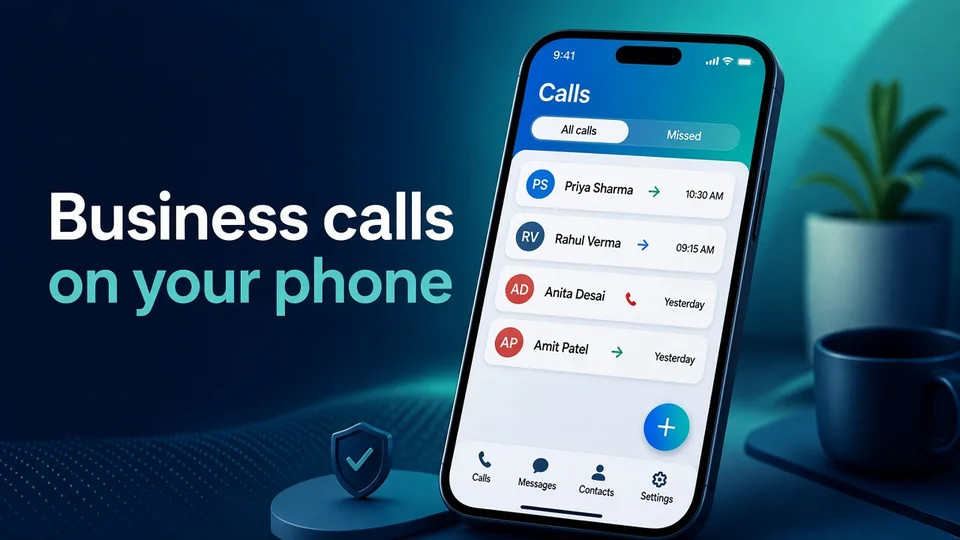
Calls on your business number
Call customers from your business number and take incoming calls on your phone, even when the app is closed.
- All calls and missed calls in one list
- Call back with one tap from any call
- Keypad and your phonebook built in
- Choose which business number to call from
EP Business Voice
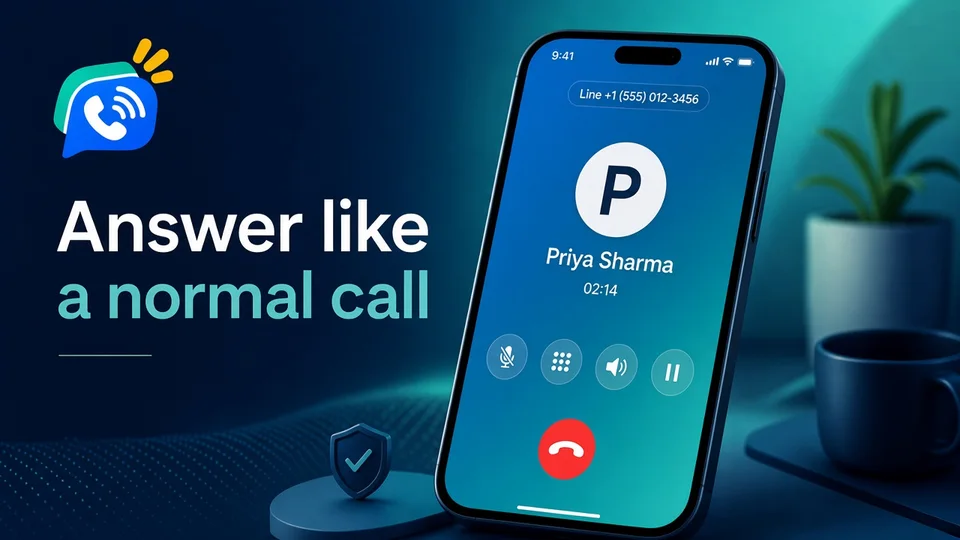
Answer like a normal call
Incoming calls show full screen, even on the lock screen. During a call you get the controls you expect.
- Mute, speaker, and hold
- Keypad for menus and extensions
- Works with Bluetooth headsets
- Voicemail when you cannot answer, with an option to ring your mobile too
EP Business Voice
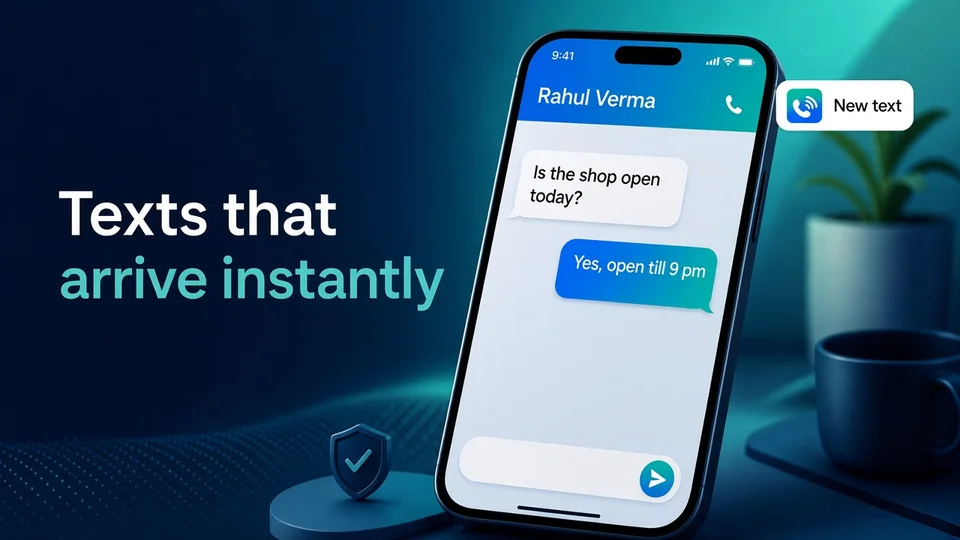
Texts that arrive instantly
Send and get SMS from your business number. A new text shows up the moment it arrives, with every chat kept in one place.
- Conversations grouped by contact
- Start a new text from your phonebook or the keypad
- Instant notification for every new text
- Pick which business number to text from
EP Business Voice
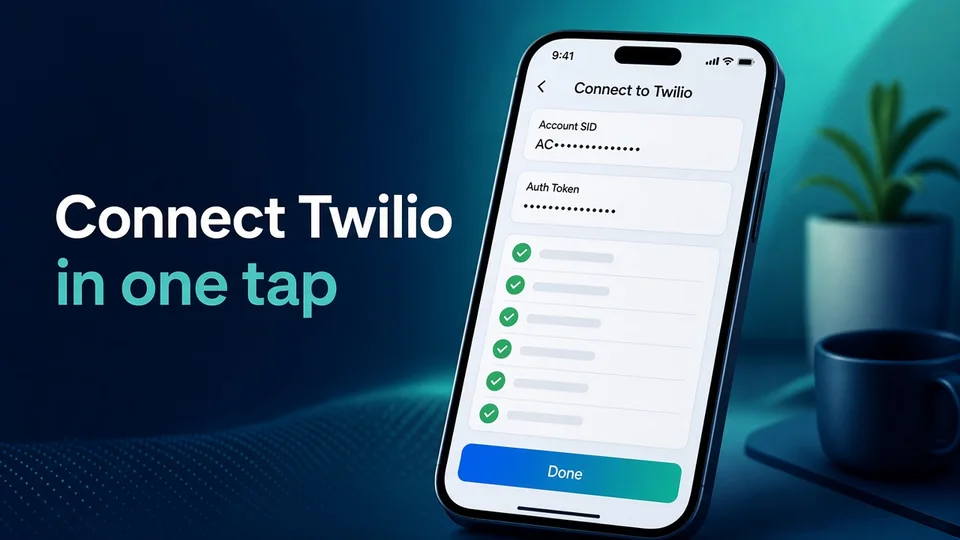
Connect Twilio in one tap
Paste your Twilio Account SID and Auth Token once. The app does the setup for you and shows each step as it finishes.
- Checks your Twilio account and loads your numbers
- Sets up call routing, texting, and voicemail
- Turns on incoming call alerts for this phone
- Comes back on its own when you sign in again
EP Business Voice
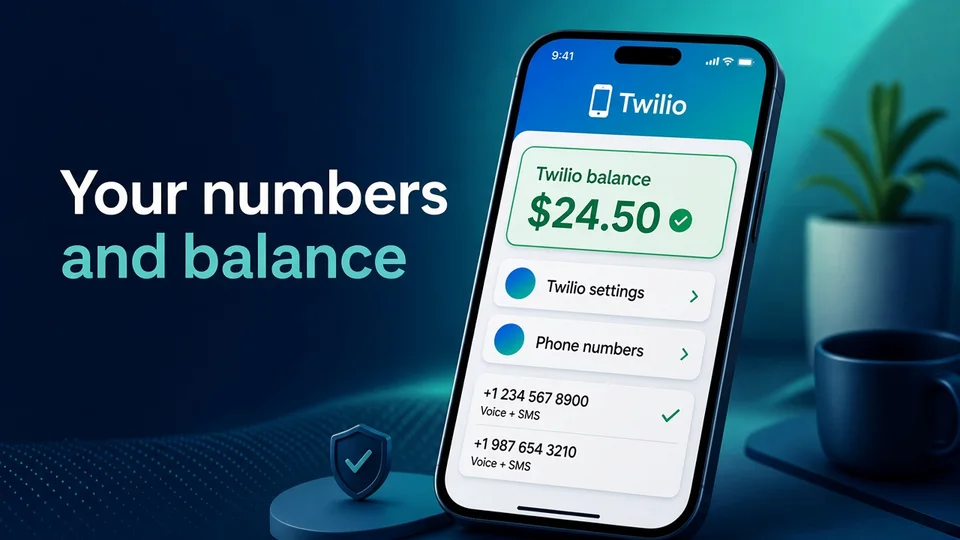
Your numbers and Twilio balance
See every phone number on your Twilio account and your current Twilio balance, so you know when to top up.
- Balance in green when it is healthy
- Red with a top-up reminder when it gets low
- Voice and SMS shown for each number
- Change your Twilio settings any time
Everything in EP Business Voice
Calls on your business number
Call out with your business caller ID and take incoming calls on your phone, over Wi-Fi or mobile data.
All calls and missed calls
One list of incoming, outgoing, and missed calls, with an All and Missed view and one-tap call back.
Voicemail
If you do not pick up, callers hear a greeting and leave a message. Play it in the app or delete it.
Ring your cell too
Optional: ring the app and your normal mobile at the same time, so you never miss a customer.
Texts (SMS)
Send and get SMS from your business number, with chats grouped by contact.
Instant text alerts
A notification the moment a text arrives, even when the app is closed. Turn it off any time.
Phonebook and keypad
Your phone contacts are built in. Search, tap to call or text, or dial on the keypad.
Pick your caller ID
Have more than one Twilio number? Choose which one you call and text from.
In-call controls
Mute, speaker, hold, and keypad for menus and extensions, on a full-screen call view.
Ring time and voicemail settings
Choose how long a call rings before voicemail, or switch voicemail off.
Twilio balance with alerts
See your Twilio balance in the app. It turns red with a top-up reminder when it gets low.
Every number in one place
See all phone numbers on your Twilio account, with voice and SMS shown for each.
One-tap Twilio setup
Paste your Account SID and Auth Token once. The app sets up calls, texts, and voicemail for all your numbers.
Sign in once
Sign in with Google. Your Twilio connection comes back automatically when you sign in again.
One phone per plan
Signing in on a new phone signs the old one out at once, so a plan is never shared by accident.
Notices from Easy Peeze
Important updates arrive as a notification inside the app.
How EP Business Voice works
- Get a Twilio number. Create a Twilio account and buy a phone number with voice and SMS, or use numbers you already have.
- Sign in with Google in EP Business Voice using your Easy Peeze account.
- Connect Twilio. Paste your Account SID and Auth Token from the Twilio Console. The app sets up calls, texts, and voicemail.
- Allow the permissions the app asks for: microphone, notifications, contacts, and full-screen calls.
- Use your business line. Calls and texts to your Twilio numbers now reach your phone.
Pricing
Planned price: ₹499 per month for one phone. Pay by autopay and turn it off any time. Your access lasts until the end of the month you paid for.
Calls, texts, and phone numbers are billed by Twilio on your own Twilio account, at Twilio's rates. EP Business Voice does not add a markup to your Twilio usage.
Who EP Business Voice is for
- Freelancers and consultants who want a business number on the phone they already carry.
- Shops and service businesses that want customer calls and texts kept apart from personal ones.
- Teams already on Twilio that want a simple mobile phone for their numbers without building their own app.
- Anyone selling abroad who uses a Twilio number in another country to look local to customers there.
Your numbers stay yours
- You own the numbers. They live in your Twilio account. Stop using the app and the numbers are still yours.
- Your Auth Token is stored encrypted and used only to set up and run your numbers.
- Calls and texts are protected. Only requests signed by Twilio for your account can use your call routing.
- Delete any time. Disconnect Twilio or delete your account from Settings. Your Twilio account and history stay on Twilio.
What you need
- An Android phone (Android 8 or newer) with Wi-Fi or mobile data
- A Google account to sign in
- A Twilio account with at least one voice or SMS phone number, and some Twilio balance
Questions
What is EP Business Voice?
An Android app that puts your Twilio business numbers on your phone. You make and take calls, send and get texts, and hear voicemail, all from one app.
Do I need a Twilio account?
Yes. You buy and own your phone numbers in your own Twilio account and pay Twilio directly for calls and texts. EP Business Voice connects to that account.
Which phone numbers work?
Any number on your Twilio account that supports voice or SMS. Which numbers you can buy, and the rules for each country, are set by Twilio.
Does it replace my SIM or personal number?
No. Your personal number stays as it is. Business calls run over the internet, on Wi-Fi or mobile data, inside the app.
Will calls ring when the app is closed?
Yes. Incoming calls show full screen like a normal call. Allow notifications, full-screen calls, and background use when the app asks.
What happens if I miss a call?
The caller can leave a voicemail, and the call shows in your Missed list. You can also have calls ring your normal mobile at the same time.
Can I use one plan on two phones?
No. One plan works on one phone. Signing in on a second phone signs the first one out right away. For two phones, get two plans.
Is my Twilio Auth Token safe?
It is sent over an encrypted connection and stored encrypted. It is only used to set up and run your numbers. You can disconnect Twilio or delete your account at any time.
How much will it cost?
The planned price is ₹499 per month for one phone, with autopay you can turn off any time. Twilio bills calls, texts, and numbers separately on your Twilio account.
When can I get it?
EP Business Voice is coming soon. There is no public download yet. Email support@easypeeze.com to hear when it launches.
Coming soon. There is no public download yet.
Questions: support@easypeeze.com.